LEGAL AI

How to make chat gpt your junior legal assistant

Why Junior Legal Assistant? For most legal leaders, the day looks like a storm: contract reviews piling up, compliance deadlines looming, clients chasing updates, and endless legal research. What if y

30 August 2025 4 min readDreamLegal Research

Share article

How to make chat gpt your junior legal assistant

For most legal leaders, the day looks like a storm: contract reviews piling up, compliance deadlines looming, clients chasing updates, and endless legal research.

What if you could have a junior legal assistant—always available, remembers your tone and style, understands your practice area, and grows smarter with every instruction?

That’s exactly what I call the Junior Legal Assistant.

It’s not a replacement for your expertise—it’s an AI-powered assistant that helps you save time, organize knowledge, and execute repetitive tasks faster.

Here’s how you can set it up.

What’s this blueprint for?

Instead of dozens of scattered chats with ChatGPT, this system helps you build ONE Project—your Legal HQ.

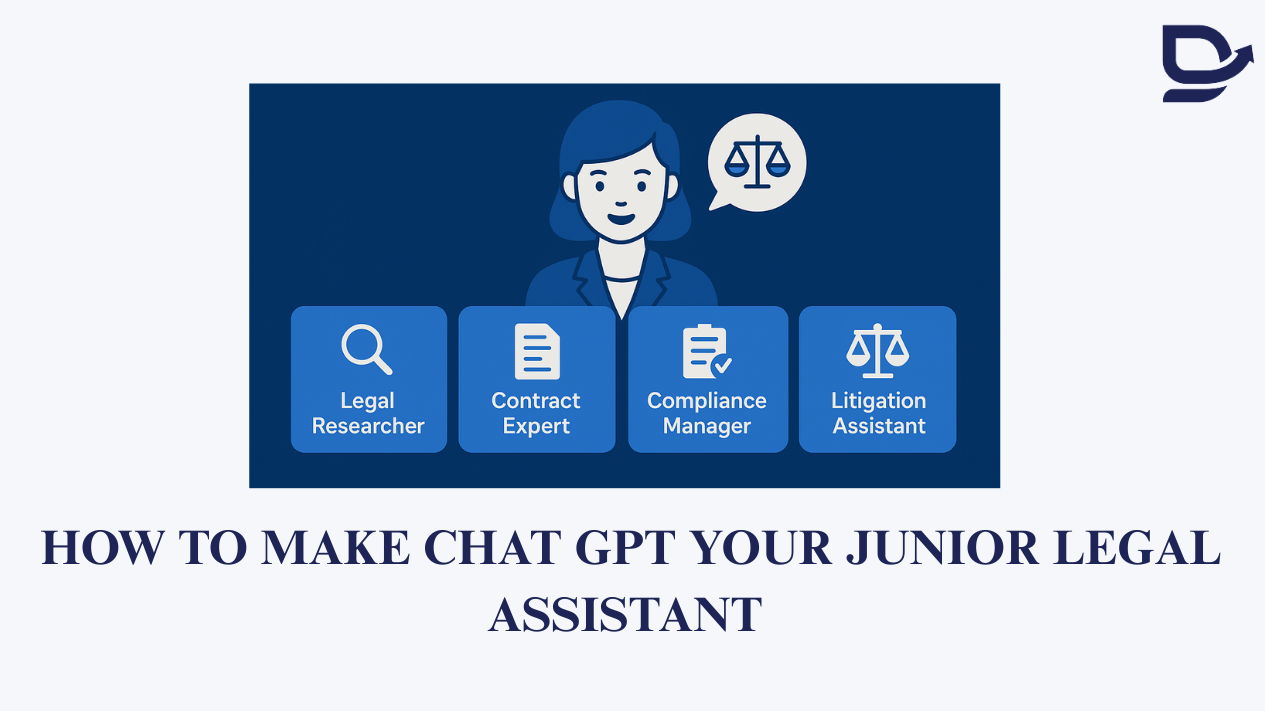
Inside it, you’ll assign specialized assistants:

  • 🧑‍⚖️ Legal Researcher

  • 📑 Contract Expert

  • 📋 Compliance Manager

  • ⚖️ Litigation Assistant

Each assistant speaks your language, understands legal nuances, and stays aligned with your tone.

And with Memory switched on, ChatGPT gradually builds legal acumen tailored to your work—like a trainee associate who never forgets.

Think of Projects + Memory as your “one-two punch”

  • One Project = Your Legal HQ

  • Memory = Your AI Junior Who Learns Over Time

Every time you add training material, style instructions, or case notes, you’re feeding your AI junior.

Over weeks, it starts drafting faster, researching smarter, and even reminding you of deadlines—without you repeating instructions.

📍 Click + New Project → Name it something like:

“My Legal HQ”

Inside this Project, create dedicated chats for assistants.

Assistant Role

Prompt to Start

Legal Researcher

"Act as my junior legal researcher. Summarize cases, statutes, and regulatory updates in simple language, and highlight precedents with citations. Always flag areas needing human judgment."

Contract Expert

"You are my contract assistant. Help me draft, review, and compare agreements. Spot risks, suggest clauses, and ensure compliance with Indian contract law. My drafting style is [describe tone]."

Compliance Manager

"You are my compliance assistant. Track and organize company compliance requirements, create checklists, and draft reminders. Flag critical dates and penalties clearly."

Litigation Assistant

"You are my litigation assistant. Help me manage case files, summarize pleadings, draft arguments, and suggest legal strategies. Use clear formatting for quick court prep."

Rename chats to match the roles so your dashboard looks like a mini legal team.

Blog image

Step 2: Activate Memory

  • Go to Settings → Personalization → Memory → Turn it ON

  • Think of this as onboarding your junior—it remembers everything you teach.

You are my junior legal assistant. Help me with research, contracts, compliance, and litigation tasks. 

Audience: [e.g. corporate clients, litigation practice, regulatory teams]

Tone: [e.g. precise, formal, concise, but client-friendly]

Practice Areas:

1. [insert, e.g. corporate law]

2. [insert, e.g. litigation]

3. [insert, e.g. compliance]

 My goals: improve efficiency, reduce errors, manage deadlines, and save time by delegating repetitive tasks to you.  

Please remember this going forward. 

Step 4: Add Instructions & Training Materials

Upload into the Project → Files tab:

  • Sample contracts/templates (NDA, MSA, employment agreement)

  • Past pleadings and most commonly used judgements (for tone and style)

  • Compliance calendars

  • Research memos or case summaries


This way, your AI junior writes like you, not like a textbook.

Step 5: Use Trigger Phrases to Build Memory

Trigger Phrase

What It Does

“Remember this: I prefer short clauses over long paragraphs in contracts.”

Saves drafting style

“Forget the old compliance calendar—update with the new SEBI rules.”

Updates instructions

“What do you remember about my litigation style?”

Checks alignment

“Does this contract draft match my tone?”

Ensures consistency

Bonus Prompts

Every week, test your assistant:

Can you summarize what you remember about my tone, practice areas, and goals as a legal leader?

Or:

Rewrite this contract clause in my preferred style. 

Project Name: Junior Legal Assistant OS

Inside:

  • 🧑‍⚖️ Legal Researcher

  • 📑 Contract Expert

  • 📋 Compliance Manager

  • ⚖️ Litigation Assistant

This gives you a junior associate team, always available, always learning, always aligned with your practice.

Closing

Legal leaders don’t need to drown in research, drafting, and compliance anymore.

With the Junior Legal Assistant OS, you can focus on judgment and strategy—while your AI handles the grind.

Was this update helpful?

Stay informed

Make your next legal technology decision with more clarity.

Join DreamLegal for independent research, market perspectives, and practical evaluation guidance for legal teams.

Create Free Account